
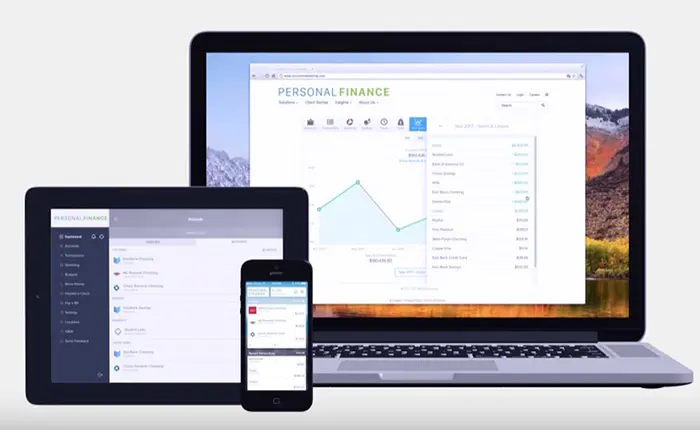
Your Money Management Tool
Take the reigns of your finances using our consolidated financial management tool, Personal Finance, an integral feature accessible through your BankIowa Personal Online Banking or Mobile Banking account.
What does it do?
Personal Finance seamlessly links accounts from various financial institutions, including credit cards, loans, investments, and deposit accounts, and allows you to view them alongside your BankIowa accounts in a centralized location.
Why use it?
Eliminate the hassle of logging into multiple online banking platforms. This service not only provides a secure hub for displaying balances and history but also offers insightful visualizations such as graphs, trends, and timelines, enhancing your financial understanding and control.
What are all the features?
- Accounts View all of your aggregated accounts on one main dashboard.
View this brief video tutorial on how to use the Accounts Tool. - Transactions View transactions from internal and external accounts. Perform searches and even export data to a .csv file.
View this brief video tutorial on how to use the Transaction Tool. - Categorization From groceries to entertainment, Personal Finance will categorize your transactions.
- Spending A visualization of spending categories over a defined date range. Users can view income sources and drill down to subcategories.
View this brief video tutorial on how to use the Spending Tool. - Budgets Make budgeting fun through this display of your financial data. You can customize budget categories, change the budget amount, view historical budgets, and change the projected income amount.
View this brief video tutorial on how to use the Budgets Tool. - Trends Spending over time divided into categories. Users can drill down into subcategory views. You can also track income and define the date range.
View this brief video tutorial on how to use the Trends Tool. - Net Worth See your net worth over time. See how certain transactions affect overall net worth.
View this brief video tutorial on how to use the Net Worth Tool. - Debt Management Helps provide a path to financial freedom. This tool assists in managing a debt plan from liability accounts. You can view balances, APR, last payment date, and min payment. It also projects a debt payoff date and prioritizes the payoff of certain debts.
View this brief video tutorial on how to use the Debt Management Tool. - Goals Create goals and put to context using this visually appealing timeline. Users can name the goal and associate it with an internal or external account.
View this brief video tutorial on how to use the Goals Tool. - Cash Flow Know your spending habits. A feature that identifies recurring deposits and payments to show trends in a clear simplified view. This allows you to see the impact of additional recurring payments and act by planning for future expenses.
View this brief video tutorial on how to use the Cash Flow Tool. - Alerts You have several alerts that can help you with your financial goals. These emails are based on your preferences and thresholds. Alerts include:
- Exceeded Budget
- Debt Payment Reminder
- Low Account Balance
- Large Deposit
- Large Expense/Withdrawal
- Fee Charge
View this brief video tutorial on how to use the Alerts Tool.
Contact us for assistance by emailing bankiowa@bankiowa.com or calling 800-433-0285.